> ## Documentation Index
> Fetch the complete documentation index at: https://docs.cloudglue.dev/llms.txt
> Use this file to discover all available pages before exploring further.
# Shareable Assets
> Create shareable and embeddable media links
## Overview
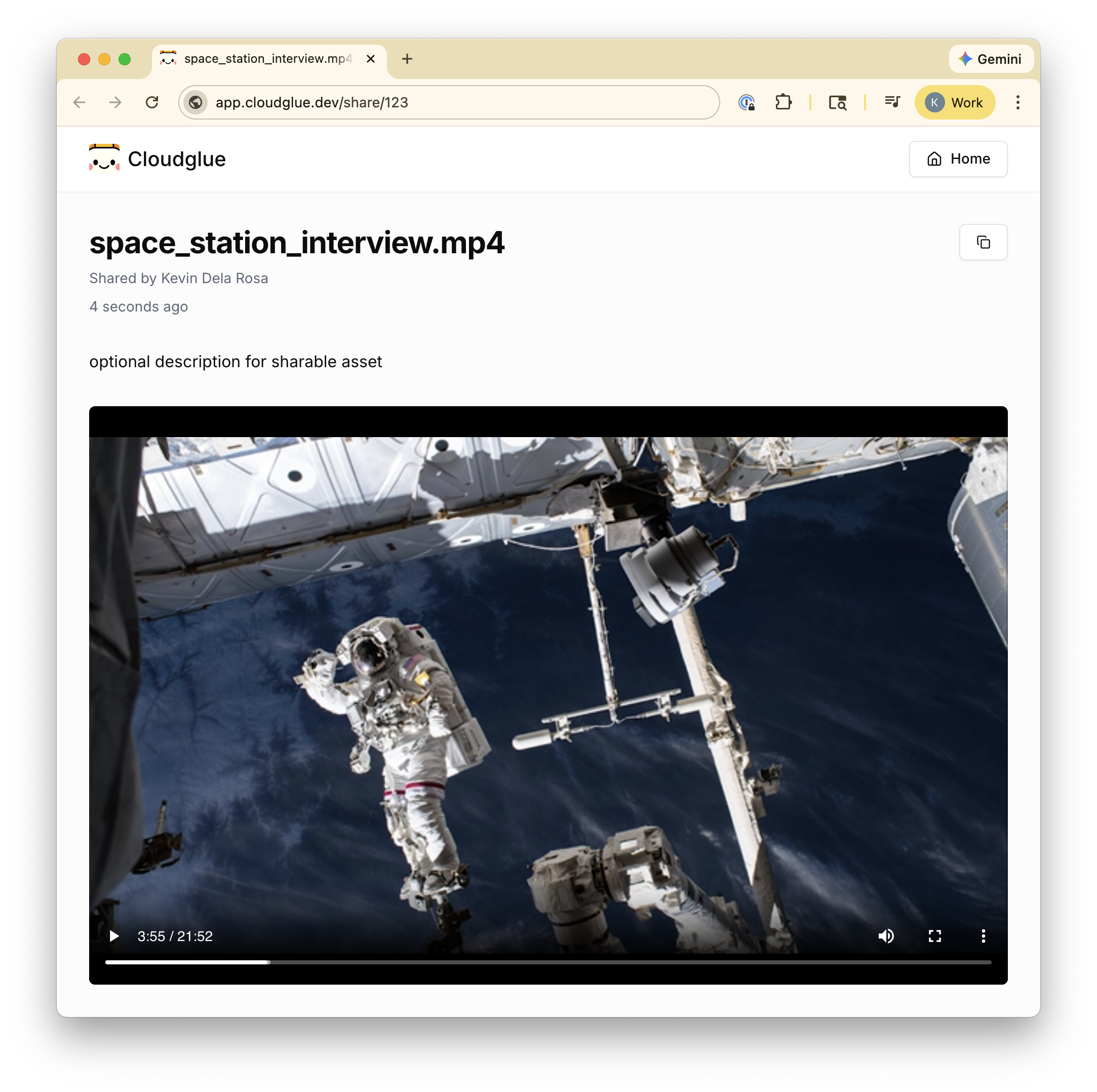
Shareable assets let you create links for your video and audio files or specific segments. These links can be shared externally or embedded in your applications.
 ## Visibility
Each shareable asset has a `visibility` that controls who can view it:
* **`public`** (default) — Anyone with the link can view the share page and stream the media without signing in. This is ideal for external sharing, embedding, and public previews.
* **`private`** — The share page requires sign-in and is restricted to members of the account that owns the asset. The `stream_url` is a signed, token-gated playback URL and the `media_download_url` is short-lived (a few minutes), so private media can't be streamed or downloaded without going through the API or the gated share page.
Set `visibility` when creating the asset. It cannot be changed after creation.
## Use Cases
* **Sharing clips** — Generate a link to a specific video segment to share with collaborators or stakeholders.
* **Embedding in apps** — Embed video players directly into your web applications using iframes.
* **Public previews** — Create publicly accessible previews of processed media for review or distribution.
## Creating Shareable Assets
You can create shareable assets in two ways:
1. **Via the API** — Use the [create share endpoint](/api-reference/endpoint/share/post) to programmatically generate shareable links for files or segments.
2. **Via the web app** — Use the file manager in the Cloudglue dashboard to create and manage shareable links.
## Embedding
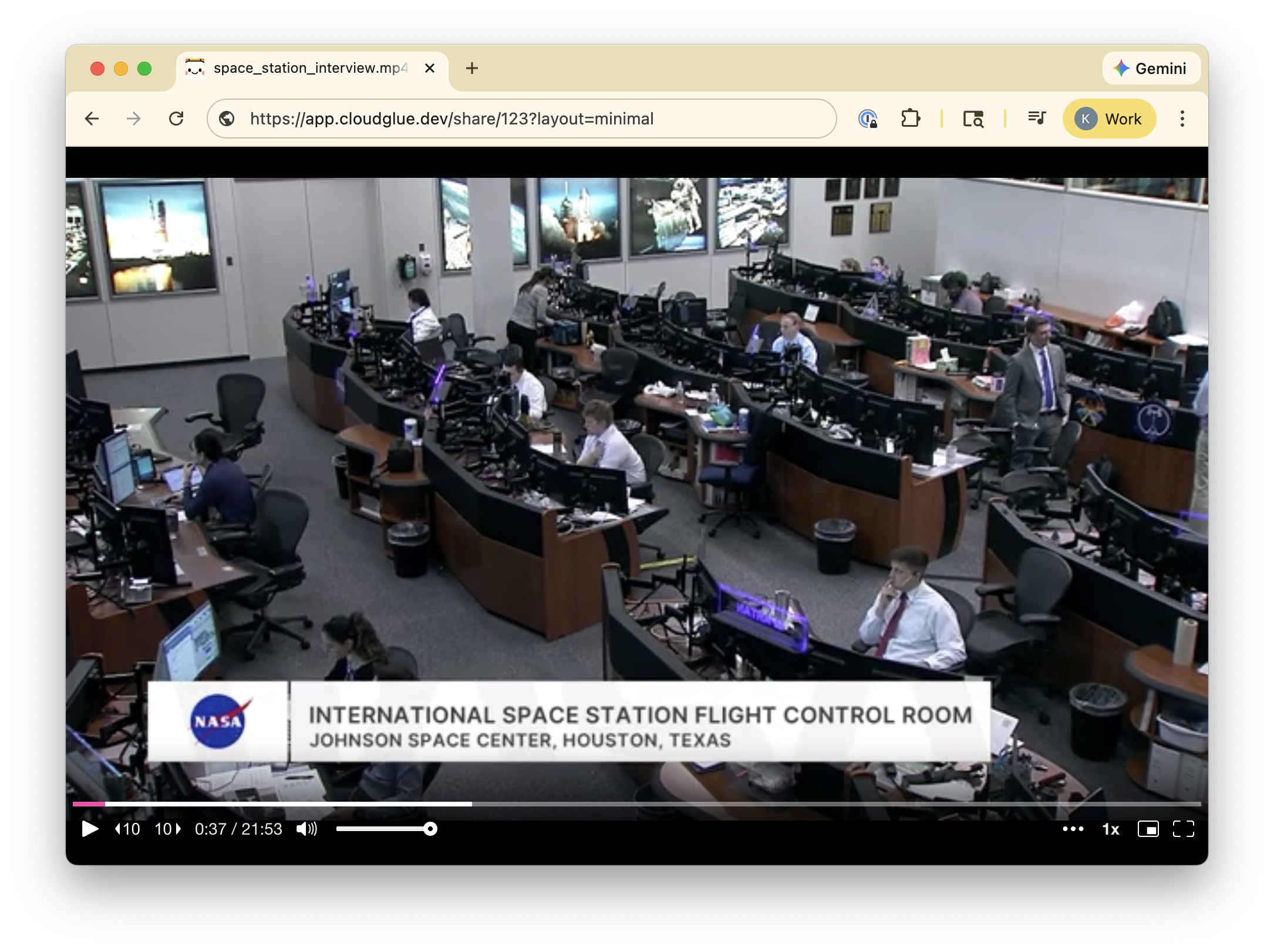
Shareable asset URLs support a minimal layout mode for clean iframe embedding:
```
https://app.cloudglue.dev/share/{asset_id}?layout=minimal
```
Use the `layout=minimal` query parameter to hide navigation chrome and show only the media player.
## Visibility
Each shareable asset has a `visibility` that controls who can view it:
* **`public`** (default) — Anyone with the link can view the share page and stream the media without signing in. This is ideal for external sharing, embedding, and public previews.
* **`private`** — The share page requires sign-in and is restricted to members of the account that owns the asset. The `stream_url` is a signed, token-gated playback URL and the `media_download_url` is short-lived (a few minutes), so private media can't be streamed or downloaded without going through the API or the gated share page.
Set `visibility` when creating the asset. It cannot be changed after creation.
## Use Cases
* **Sharing clips** — Generate a link to a specific video segment to share with collaborators or stakeholders.
* **Embedding in apps** — Embed video players directly into your web applications using iframes.
* **Public previews** — Create publicly accessible previews of processed media for review or distribution.
## Creating Shareable Assets
You can create shareable assets in two ways:
1. **Via the API** — Use the [create share endpoint](/api-reference/endpoint/share/post) to programmatically generate shareable links for files or segments.
2. **Via the web app** — Use the file manager in the Cloudglue dashboard to create and manage shareable links.
## Embedding
Shareable asset URLs support a minimal layout mode for clean iframe embedding:
```
https://app.cloudglue.dev/share/{asset_id}?layout=minimal
```
Use the `layout=minimal` query parameter to hide navigation chrome and show only the media player.
 ## HLS Streaming
Once a shareable asset has finished processing, the `stream_url` field provides an HLS stream URL that can be used directly with any HLS-compatible video player. This URL is only available when the asset status is `completed`.
For private assets the `stream_url` includes a signed playback token that is valid for 12 hours, so it should not be cached long-term — fetch a fresh one from the [get share endpoint](/api-reference/endpoint/share/get) when you need to play the media. This is distinct from the `media_download_url`, which expires much sooner (a few minutes) and needs to be refreshed more frequently.
Popular HLS-compatible players include:
* [HLS.js](https://github.com/video-dev/hls.js) — JavaScript library for browsers that don't natively support HLS
* [Video.js](https://videojs.com/) — Full-featured web video player with HLS support
* [Mux Player](https://docs.mux.com/guides/mux-player-web) — Drop-in web component optimized for Mux streams
## Start Time
You can link directly to a specific timestamp using the `s` query parameter (in seconds):
```
https://app.cloudglue.dev/share/{asset_id}?s=120
```
This starts playback at 2 minutes into the media.
## API Reference
* [Create shareable asset](/api-reference/endpoint/share/post)
* [Get shareable asset](/api-reference/endpoint/share/get)
* [List shareable assets](/api-reference/endpoint/share/list)
* [Update shareable asset](/api-reference/endpoint/share/put)
* [Delete shareable asset](/api-reference/endpoint/share/delete)
## HLS Streaming
Once a shareable asset has finished processing, the `stream_url` field provides an HLS stream URL that can be used directly with any HLS-compatible video player. This URL is only available when the asset status is `completed`.
For private assets the `stream_url` includes a signed playback token that is valid for 12 hours, so it should not be cached long-term — fetch a fresh one from the [get share endpoint](/api-reference/endpoint/share/get) when you need to play the media. This is distinct from the `media_download_url`, which expires much sooner (a few minutes) and needs to be refreshed more frequently.
Popular HLS-compatible players include:
* [HLS.js](https://github.com/video-dev/hls.js) — JavaScript library for browsers that don't natively support HLS
* [Video.js](https://videojs.com/) — Full-featured web video player with HLS support
* [Mux Player](https://docs.mux.com/guides/mux-player-web) — Drop-in web component optimized for Mux streams
## Start Time
You can link directly to a specific timestamp using the `s` query parameter (in seconds):
```
https://app.cloudglue.dev/share/{asset_id}?s=120
```
This starts playback at 2 minutes into the media.
## API Reference
* [Create shareable asset](/api-reference/endpoint/share/post)
* [Get shareable asset](/api-reference/endpoint/share/get)
* [List shareable assets](/api-reference/endpoint/share/list)
* [Update shareable asset](/api-reference/endpoint/share/put)
* [Delete shareable asset](/api-reference/endpoint/share/delete)